

Vysor
2.3.2Vysor: View and control your Android phone in a window on your PC
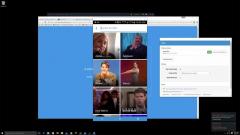
Vysor is a Google Chrome application that enables you to remotely access and control your Android smartphone directly on your computer.To use the application you will need to have Google Chrome installed as well, since you can run it from the Chrome App Launcher. Also, ADB drivers are required and you can access their download link from the app’s interface.
You can view all detected devices that are currently connected to the PC in Vysor’s main window. Then, you just need to select the device and the app will automatically connect to it.
Once the connection is established, Vysor will display a window of the connected Android handset on your desktop. You’ll be able to control it just as you would directly.
This means you can perform swipe gestures by moving your mouse cursor, open apps and the Settings, browse the web and anything else you can do on your smartphone.
Download Details
-
License:
Demo
-
Platform:
Pda-Mobile
- Publisher:
-
File size:
0.03 Mb
-
Updated:
Sep 08, 2020
-
User Rating:
0 / 5 (0 votes)
-
Editors' Review:
Not yet reviewed
-
Downloads:
7,831
Similar software

22 / 2,061


USB Monitor (DMS) 9.12.02.1818
Useful program for programmers and developers that need to monitor all USB devices that are connected to the PC.
16 / 1,293


PhoneClean 5.6.1
Scan and clean multiple unwanted files and keep your iOS device clean and clutter-free by deleting obsolete user caches, browsing histories and app leftovers
23 / 2,930


GetLostData 3.7
An effective recovery solution for accidentally deleted documents, photos, music and emails
18 / 1,636