

WinScan2PDF
8.72WinScan2PDF: Use your scanner to scan documents and save them on your computer as PDF files
WinScan2PDF is a streamlined tool that lets you quickly convert documents scanned using your scanner to PDF format.The application is portable so you can rest assured the system Registry will remain unchanged and you can run it with no installation required (including from external storage devices like USB flash drives).
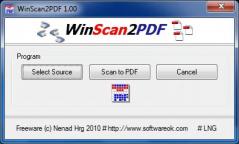
The program presents a functional graphical layout with a limited number of options and settings to keep things simple. Unlike similar applications that bundle a large number of features, this program keeps them to a minimum, to make conversion tasks as fast and as simple as possible.
As a result, you need to simply select the scanner that is connected to your PC, scan the documents and the program will allow you to save them in PDF format on your computer.
Despite the simple approach and limited amount of options, WinScan2PDF provides exceptional image quality and runs smoothly with no impact on your computer’s performance, providing even those with little to no computer experience a simple solution for converting scanned documents to PDFs.
Download Details
-
License:
Freeware
-
Platform:
Windows
- Publisher:
-
File size:
0.18 Mb
-
Updated:
Mar 13, 2024
-
User Rating:
0 / 5 (0 votes)
-
Editors' Review:
Not yet reviewed
-
Downloads:
2,050
Similar software

Grapheme 2.5.0
An advanced piece of software with powerful plotting functions that lets you generate various types of graphical representations for data in tables
22 / 1,819


CalcTape 6.0.4
A friendly calculator tool that lets you perform mathematical operations in a simple manner
47 / 4,173


Everything I Own 4.0.7
A friendly piece of software that lets you create an inventory of all your possessions, along with important details
14 / 1,488


CSV Reports 3.19.0.0
A lightweight application that allows you to access and modify CSV documents from your computer
19 / 1,956

4 / 1,514