Genymotion
2.12.1Genymotion: An intuitive Android emulation tool with excellent 3D performance offering full control over your Android device
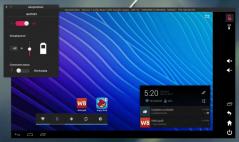
Are you a passionate Android developer that wants to test the apps you create or you simply want to test a device you plan to buy? Genymotion is a handy tool that can help with that.It’s a complete Android emulator offering the best 3D performance along with ease of use. Based on OpenGL technology, Genymotion can flawlessly handle any device. It supports all popular Android devices that are currently available, allowing developers to test their applications and detect compatibility problems.
Virtual devices are downloaded and launched from the Genymotion cloud, then integrated within the emulator. From the UI, you can easily manage stored entries. All benefits of having an Android device are available in Genymotion as well.
You can use Play Store apps, edit the system Settings, add apps and widgets on the home screen as well as launch stock apps that are shipped with the device. It lets you control functioning parameters and sensors, like the battery, camera, volume, gyroscope and so on. Furthermore, you can configure networking and WiFi settings and even test apps simultaneously on a large number of virtual devices through the application’s command shell.
Download Details
-
License:
Freeware
-
Platform:
Windows
- Publisher:
-
File size:
46.00 Mb
-
Updated:
May 07, 2018
-
User Rating:
3.4 / 5 (18 votes)
-
Editors' Review:
Not yet reviewed
-
Downloads:
15,246